Back To Blog
 How to Start an Online Store: A Step-by-Step Guide for Beginners
Starting an online store may seem straightforward. Choose a platform, upload some products, set up payments, and start selling.
But in practice, building a store is not simply a matter of getting a website online. The more important question is whether the store gives customers a good enough reason to buy from you—and whether the business model behind it can actually work.
This guide focuses on the key decisions involved in launching an online store, from choosing the right sales channel and product range to setting up your website, testing the customer journey, and improving the store after launch.
1. Decide What Kind of Online Store You Actually Want to Build
Before choosing a platform or buying a domain name, first determine what you want your online store to do.
Not every store has the same purpose.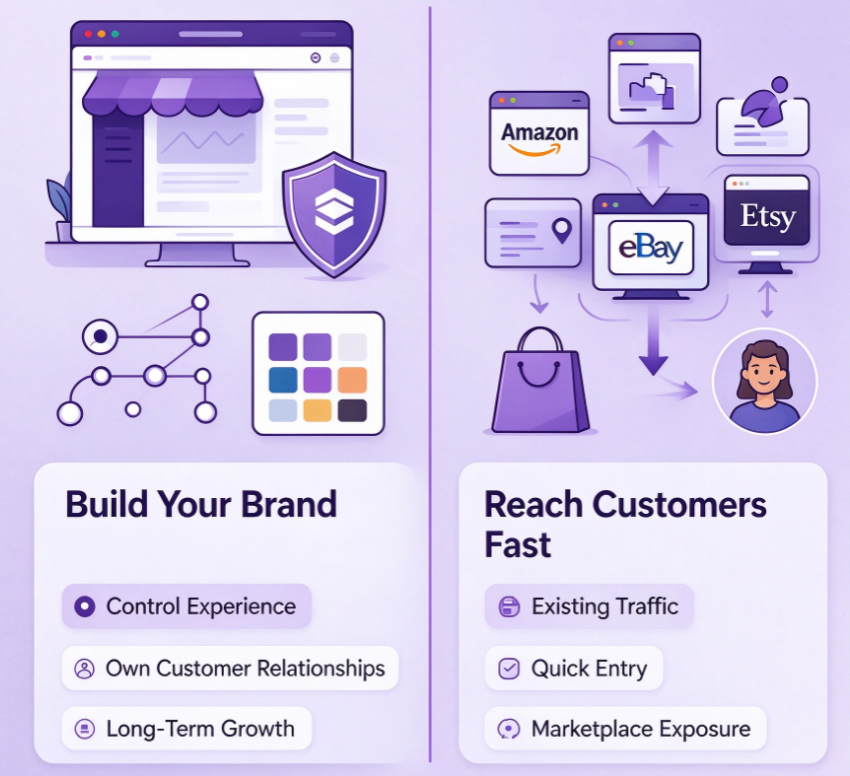
For example, you may want to:
Build a long-term brand
Sell a small selection of products within a specific niche
Test a new product idea
Generate an additional sales channel for an existing business
Build a direct-to-consumer (DTC) business
Sell through marketplaces while gradually building your own customer base
These goals can lead to very different decisions.
If your priority is building a long-term brand, having your own online store gives you greater control over the customer experience, branding, and customer relationships.
If your priority is reaching customers quickly, a marketplace such as Amazon, eBay, or Etsy may give you access to an existing customer base.
There is no universally "best" way to start an online store.
The right setup depends on what you are trying to achieve at this stage.
2. Ask the Most Important Question: Why Would Customers Buy From You?
One of the most important questions to answer before building a store is:
Why would a customer buy from this store instead of Amazon, another marketplace, or an existing competitor?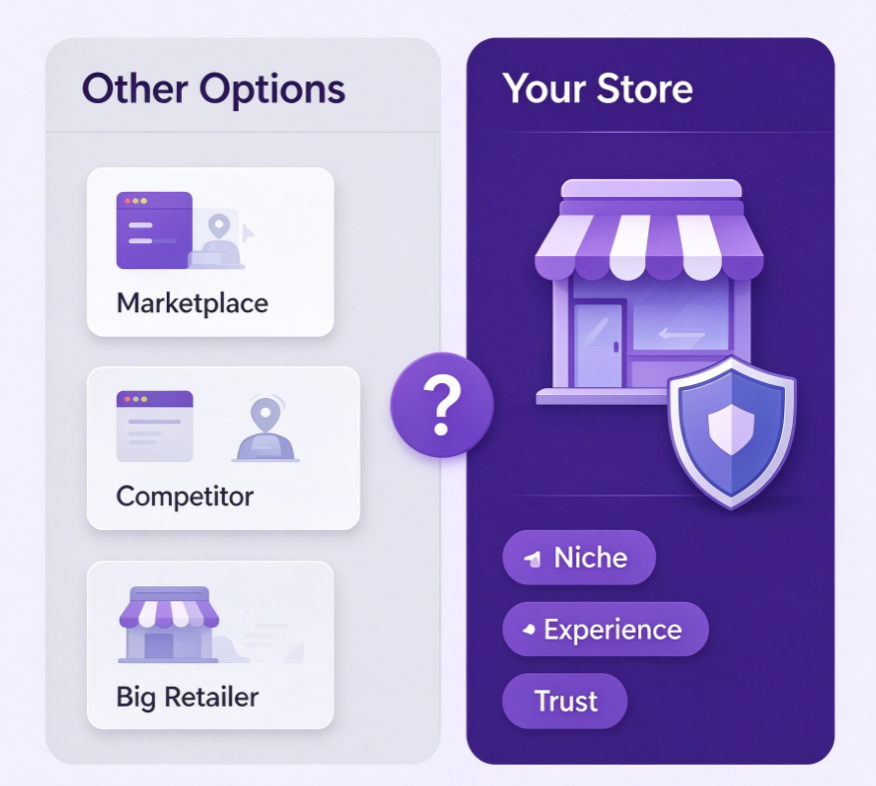
If the answer is simply "because our products are high quality," that is usually not enough.
Customers have many options. Your store needs to offer a reason that is clear and meaningful to them.
That reason could come from:
A highly specific product niche
Products that are difficult to find elsewhere
A stronger product selection or curation
Customization or personalization
A distinctive brand identity
Better educational or product-related content
A strong community or social presence
A more convenient shopping experience
This does not mean you need to invent something completely new.
In many cases, the opportunity comes from serving a specific customer group better than existing alternatives. One way to find this kind of opportunity is to look at emerging product categories and niche consumer interests, such as the growing demand for DIY craft kits.
The clearer your value proposition is, the easier it becomes to make decisions about your products, website structure, pricing, and marketing.
3. Don't Launch With Hundreds of Products
A common mistake among new store owners is assuming that a larger product catalog automatically makes a store more attractive.
It usually doesn't.
Launching with hundreds of products creates more work and can make it harder to understand what is actually driving sales.
A more focused assortment is often easier to manage and easier for customers to understand.
A useful way to structure an initial product range is:
Hero Products
These are the products you expect customers to notice first and that you will use heavily in your marketing.
Supporting Products
These products complement your hero products and give customers more reasons to explore the store.
Add-On and Cross-Sell Products
These are lower-priced or complementary products that can increase the value of an order.
The goal is not to have as many SKUs as possible.
The goal is to create a product assortment that makes sense from the customer's perspective. For a more detailed look at how product selection and store positioning work together, see our guide to opening a pop toy store.
4. Calculate Your Real Profitability Before You Launch
Looking only at product cost and selling price can give you a misleading picture of profitability.
For example, imagine a product sells for $20.
The costs might look something like this:
Product cost: $5
Packaging: $1
Shipping: $4
Payment and platform fees: $2
Marketing cost allocated to the order: $3
Your effective cost is already around $15.
That leaves only $5 before considering other expenses such as returns, discounts, customer service, software subscriptions, labor, and other operating costs.
So a product that appears to have a $15 margin based on a simple $20 − $5 calculation may have a very different contribution margin in reality.
This is why pricing should be evaluated based on full cost structure, not just the wholesale or product cost.
Before launching, make sure you understand:
Your selling price
Product cost
Shipping and fulfillment costs
Payment and platform fees
Customer acquisition costs
Expected return or refund costs
Discounts and promotions
Other operating expenses
You do not need a complicated financial model at the beginning.
But you do need to know whether each order is capable of generating a healthy contribution margin.
5. Choose Between Your Own Store and a Marketplace
Once you understand your business model, you can decide where you want to sell.
Broadly speaking, there are two main options.
Your Own Online Store
Common platforms include:
These platforms give you more control over your branding, website experience, product presentation, and customer journey.
They are particularly useful if your goal is to build a long-term brand and develop a direct relationship with customers.
However, having your own store also means that you are responsible for generating traffic.
Building a website does not automatically bring customers.
Marketplaces
Examples include:
Marketplaces already have established traffic and customer demand, which can make them attractive for businesses that want to reach customers more quickly.
However, you operate within the marketplace's rules, fee structure, competition, and customer experience.
Your brand and customer relationship may also be less controllable than on your own website.
So Which One Should You Choose?
There is no universal answer.
The better question is:
What does your business need right now?
If your priority is fast access to existing demand, a marketplace may make more sense.
If your priority is building a long-term brand and owning more of the customer relationship, an independent online store may be the better foundation.
For some businesses, the answer is not either/or.
They may use marketplaces to reach customers while building their own store as a long-term brand channel.
| Own Store | Amazon | Etsy | |
| Customer traffic | You drive traffic yourself | Platform built-in traffic | Platform built-in traffic |
| Brand control | High | Low | Medium |
| Customer relationship | Direct | Limited by platform rules | Limited by platform rules |
| Setup difficulty | Medium | Medium | Low |
| Competition | Self-owned | High | High |
| Long-term brand building | Strong | Medium | Medium |
| Best use | Brand building | Tap platform traffic | Creative / handmade goods |
6. Choose Your Store Name and Domain Carefully
Once you know what kind of store you are building, choose a name that can support the business over time.
A good store name should be:
Easy to remember
Easy to spell
Relevant to the brand
Flexible enough to grow with the business
Available across important digital channels where possible
Your domain name does not necessarily need to describe exactly what you sell.
If you plan to expand your product range in the future, choosing an overly specific name can become a limitation.
Think beyond the first product you are selling.
Your goal is to choose a name that still makes sense if the business grows.
7. Design the Website Around Purchase Friction
A common approach to website design is to ask:
"What would make this website look better?"
A more useful question is:
"Where might a customer hesitate before making a purchase?"
Customers typically have a series of questions before they buy:
Is this product actually right for me?
Does the product look like the photos?
What exactly will I receive?
How much will I pay in total?
When will my order arrive?
What happens if I don't like it?
Can I trust this store?
Your website should answer these questions before customers have to search for the information themselves.
This can be done through:
Clear product photography
Product specifications
Size or measurement guides
Shipping information
Return and refund policies
Customer reviews
Contact information
About Us pages
Secure and familiar checkout options
Good e-commerce design is not simply about making a website look attractive.
It is about reducing uncertainty at every stage of the buying process.
8. Your Product Pages Often Matter More Than Your Homepage
Many store owners spend most of their time designing the homepage.
But customers do not necessarily enter your website through the homepage.
They may arrive directly on a product page from Google, TikTok, Instagram, an advertisement, or another external channel.
That makes the product page one of the most important parts of an online store.
A strong product page should answer the customer's key questions quickly:
What is it?
What exactly is the product and what does it do?
Why should I care?
What problem does it solve, or what makes it worth buying?
How much does it cost?
The price should be clear, along with any relevant shipping costs or additional charges.
What am I actually getting?
Use product images, specifications, dimensions, materials, quantities, and other relevant information to set clear expectations.
When will I receive it?
Make delivery time and shipping options easy to understand.
What if I change my mind?
Clearly explain your return, refund, or exchange policy.like ejetspark do:
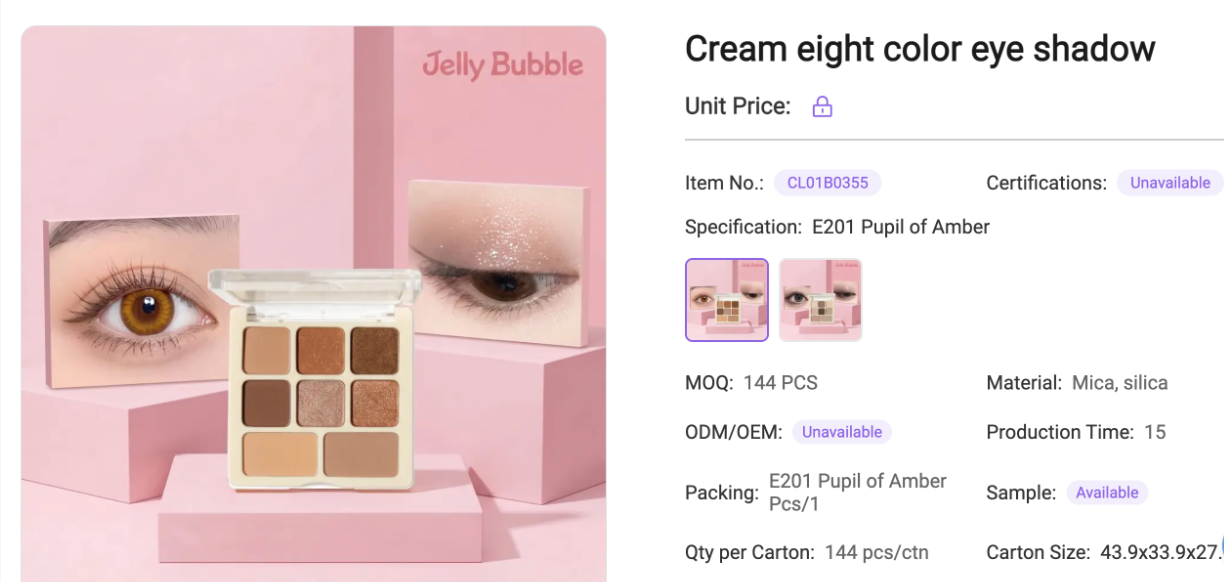
A beautiful product page that leaves these questions unanswered can still create friction.
9. Set Up Payments, Shipping, and Returns Before Launch
Before opening your store to customers, make sure the basic transaction process is actually ready.
This includes:
Delivery time estimates
Shipping fees
Return and refund policies
Order confirmation emails
Customer notifications
These details may not be the most exciting part of launching a store, but they have a direct impact on the customer experience.
For example, a customer may be ready to purchase but abandon the checkout after discovering an unexpected shipping fee.
Similarly, unclear delivery times or complicated return policies can create unnecessary hesitation.
The goal is to make the transaction feel predictable.
Customers should know what they are paying, when they can expect the order, and what happens if something goes wrong.
10. Test the Entire Customer Journey Before Going Live
Do not stop testing once you have confirmed that your website loads correctly.
Go through the entire customer journey as if you were a real customer.
For example:
Social media or advertisement
↓
Product page
↓
Add to cart
↓
Checkout
↓
Payment
↓
Order confirmation
↓
Shipping notification
↓
Customer support
Look for problems at every stage.
- Is the first impression clear?
- Can I understand the product immediately?
- Is anything confusing?
- Are shipping costs clearly displayed?
- Are there enough payment options?
- Are there unexpected fees?
- Does the checkout process feel trustworthy?
- Do I receive a clear order confirmation?
- Do I know what happens after placing the order?
A store can look perfect from the outside and still have problems in the actual buying process.
The only reliable way to find these issues is to experience the journey yourself.
11. Treat Your First Launch as a Market Test
Your first launch does not need to be the final version of your store.
In fact, treating the first version as a test can be much more useful.
Think of the process as:
Launch → Observe → Measure → Learn → Improve → Repeat
Your first customers will tell you things that you cannot always predict before launch.
You may discover that:
Customers are interested in a different product than expected
A certain price point performs better
Customers repeatedly ask the same question
A particular product page receives traffic but few purchases
Shipping costs are preventing customers from completing orders
These are not necessarily failures.
They are market feedback.
The purpose of the first version is to gather enough real-world information to make the next version better. This testing mindset is especially useful when entering fast-moving categories, where products such as squishy toys and fidget toys can gain attention quickly as consumer preferences shift.
12. Use Data to Diagnose Problems Instead of Guessing
Once the store is live, do not immediately assume that more traffic will solve the problem.
Look at where customers are dropping out of the buying journey.
For example:
A Lot of Traffic but Few Purchases
The problem may be related to:
- Product-market fit
- Pricing
- Product presentation
- Shipping costs
- Trust
- Checkout friction
Many Product Views but Few Add-to-Carts
Look more closely at:
- Product attractiveness
- Pricing
- Product information
- Images and videos
- Whether the value proposition is clear
Many Add-to-Carts but Few Completed Orders
The problem may be:
Unexpected shipping costs
Limited payment methods
A complicated checkout
Additional fees
An unclear return policy
This is why simply buying more advertising is not always the right answer.
If there is friction further down the funnel, more traffic may simply send more people into the same broken process.
Instead, use the data to identify where the problem occurs and then improve that specific part of the customer journey.
Final Thoughts
Starting an online store is not simply about building a website and uploading products.
The real challenge is building a business model that gives customers a reason to buy, creating a product assortment that makes sense, choosing the right sales channel, and removing friction from the buying process.
The first version of your store does not need to be perfect.
It needs to be clear enough to launch, strong enough to generate real customer feedback, and flexible enough to improve.
In the end, the most effective approach is not:
Build a store → Add products → Run ads → Hope it works
It is:
Make the right decisions → Launch → Observe customer behavior → Learn from the data → Improve → Repeat
That is what turns an online store from a website into a sustainable business.
If you have any questions, feel free to contact us.
Here are some related articles you may find interesting: